
Hero section examples: choose the right pattern for each page
Compare hero strategies for developer tools, portfolios, documentation, ecommerce, dashboards, and local services without forcing one layout onto every intent.
The best hero pattern depends on what visitors already know and what they need to do next. A useful first viewport reflects page intent before it reflects visual fashion.
Developer products need proof close to the promise
A developer tool hero should state the technical outcome, identify the intended workflow, and expose a concrete next step such as opening documentation or trying a live example. A compact command, code fragment, compatibility note, or performance fact can support the promise when it is real and readable.
Avoid turning the hero into an animated terminal that withholds the actual message. Primary copy should remain selectable HTML and load immediately. Use the supporting visual to demonstrate one capability, then send deeper implementation detail to documentation where it can be linked, searched, and maintained.
Portfolios and local services must establish fit quickly
A portfolio hero can lead with role, specialization, availability, and selected work. Visitors often need to decide whether the person fits a project before reading a biography, so an availability signal and a descriptive project link are more useful than a generic welcome statement.
Local service pages need the service, location, trust signal, and contact path near the top. Maps and photography can support that information, but they should not replace it. The hero should still identify the business and service area when images fail or visitors arrive through a narrow mobile connection.
- Developer tool: outcome, workflow proof, documentation or trial action.
- Portfolio: specialty, availability, selected work, contact path.
- Documentation: searchable task language and popular destinations.
- Ecommerce: offer, product context, conditions, shop action.
- Dashboard: current task, status, and the primary application action.
Documentation and ecommerce heroes serve different urgency
Documentation visitors usually arrive with a task. Search can be prominent, but popular links and topic navigation must remain available when the query is uncertain. Use real links in results and supporting destinations so the page stays crawlable and useful without client-side search.
An ecommerce promotion hero should identify the offer, relevant products, limits, and end condition without manufacturing urgency. Keep the shop action clear and ensure promotional copy agrees with the product page and cart. A useful visual may show the product, while text carries the terms visitors need to evaluate the offer.
Implementation guides
Turn the strategy into reliable frontend code.
These field guides cover the concrete HTML, CSS, JavaScript, accessibility, and integration work behind the decisions in this article.
Working component examples
Inspect the pattern in standalone source.
Open each component to preview its states, customize documented tokens, and download the portable HTML, CSS, and JavaScript package.
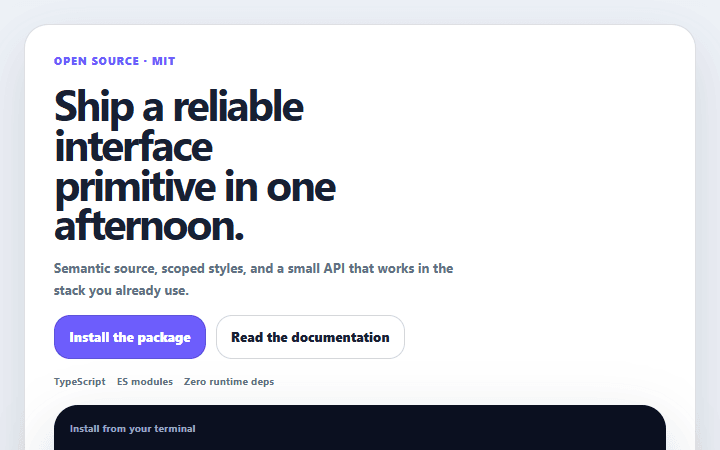
Developer tool hero
A code-led product hero with a concrete command, compatibility proof, and separate learn and install paths.
Open component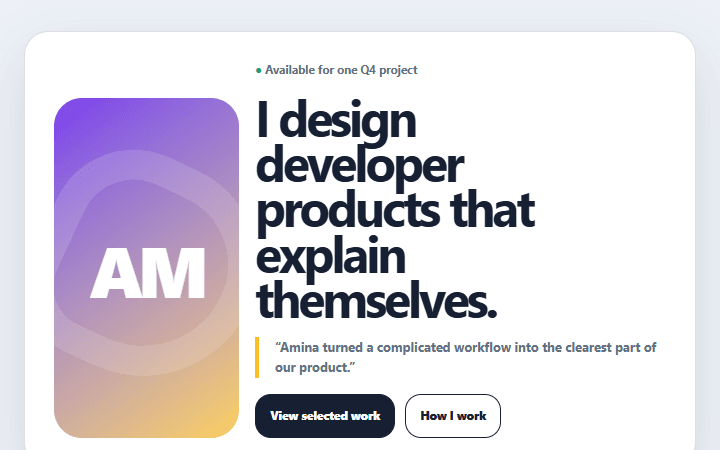
Portfolio availability hero
A personal portfolio header that combines a clear specialty, selected proof, and honest availability.
Open component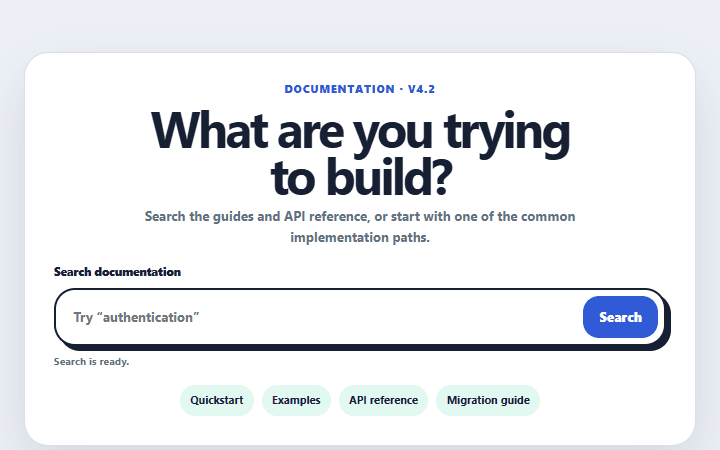
Documentation search hero
A documentation header with a labeled search form, common destinations, and a visible release status.
Open component