
What a high-converting SaaS pricing page actually needs
Plan a pricing page around clear billing terms, useful comparison, transparent calculators, and an enterprise path instead of stacking unrelated sales widgets.
A useful pricing page is a decision system. Every component should answer a buyer question, preserve consistent billing language, and move the visitor toward the right plan without hiding the cost model.
Start with the questions buyers must answer
Before selecting components, list the decisions the page must support: which plan fits, what the recurring charge means, how usage changes cost, and what happens when the published tiers are too small. A pricing trio may introduce the options, while a detailed comparison provides evidence only for people who need it.
Remove sections that repeat the same promise. Testimonials and feature grids can support pricing, but they should not push the billing terms away from the plan actions. Keep limits, renewal cadence, taxes, and trial conditions close to the amount they qualify. Confidence comes from finding the answer where the question occurs.
Use one billing state across the entire page
A monthly and annual toggle should update every visible amount, suffix, discount statement, and checkout destination from one source of truth. If the annual option shows a monthly equivalent, state the full billing commitment nearby. Buyers should never need to infer whether a displayed amount is charged monthly or calculated from an annual payment.
Treat the control as an accessible choice rather than a decorative switch. The selected state must be perceivable without color, and the default HTML should show a complete offer before JavaScript loads. Preserve the selected period when visitors open the detailed comparison or return from a plan explanation.
- Plan summary with price, cadence, audience, and primary action.
- Accessible billing-period choice with consistent page-wide state.
- Feature comparison focused on meaningful differences.
- Calculator only when quantity or usage materially changes cost.
- Enterprise path for security, volume, or procurement requirements.
Add calculators only when they increase transparency
A per-seat or usage calculator is valuable when visitors can verify the formula and connect the result to checkout. It is not useful when hidden tiers or mandatory fees make the total inaccurate. Show the input, unit price, range, cadence, and total together, then label the result as an estimate when the final invoice uses additional rules.
Use an enterprise quote strip when the self-serve formula stops being truthful. That handoff should explain why a conversation is useful, such as volume pricing, security review, or custom data retention, instead of turning ordinary pricing into a lead form. Published tiers and sales-assisted plans can coexist without making the former feel incomplete.
Measure useful progress instead of pressure tactics
Track plan views, billing-period changes, calculator ranges, comparison expansion, and primary actions as anonymous events. Those signals reveal where buyers need more clarity. Avoid fake scarcity, preselected expensive plans that cannot be changed, or savings claims whose baseline is difficult to find. Short-term clicks are not the same as qualified conversion.
Test the complete flow with keyboard, touch, browser zoom, and slow loading. Confirm that prices remain stable during font and script loading and that every action preserves the selected plan and cadence. The linked components below divide the system into understandable responsibilities so each part can be tested independently.
Implementation guides
Turn the strategy into reliable frontend code.
These field guides cover the concrete HTML, CSS, JavaScript, accessibility, and integration work behind the decisions in this article.
Working component examples
Inspect the pattern in standalone source.
Open each component to preview its states, customize documented tokens, and download the portable HTML, CSS, and JavaScript package.
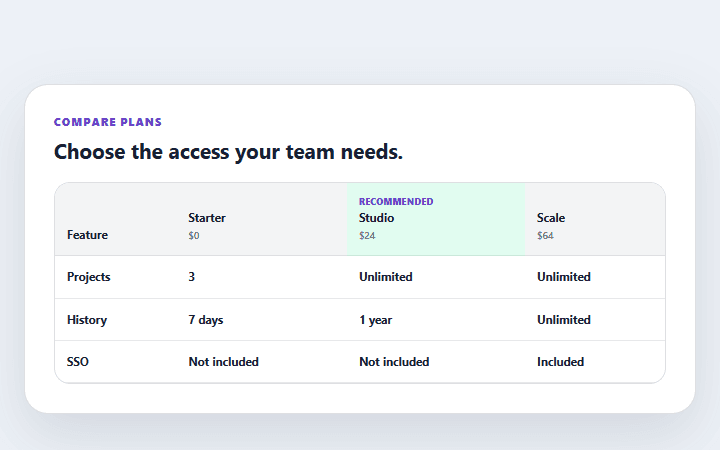
Pricing feature comparison
A responsive plan comparison table with explicit availability labels and a clear recommended tier.
Open component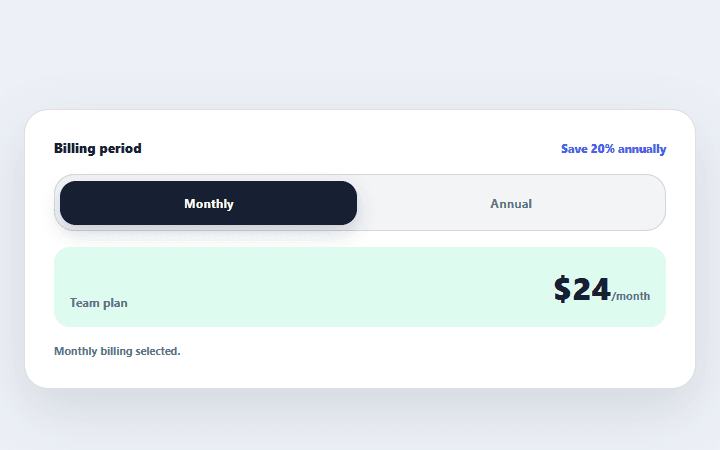
Billing period toggle
A two-option billing control that updates visible prices and announces the selected period.
Open component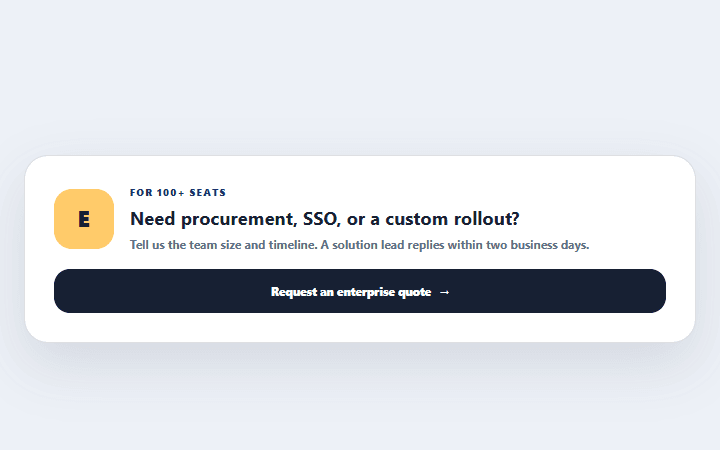
Enterprise quote strip
A concise enterprise pricing callout that explains qualification, response time, and the next step.
Open component