
Build an accessible multi-step signup form
Create a multi-step signup form that validates each stage, preserves entered values, manages focus, and keeps progress clear without a framework.
What you will build correctly
- Give every step a named purpose and validate only the fields currently available to the user.
- Preserve completed values and move focus to the new step heading after deliberate navigation.
- Keep a complete server-side submission and validation path as the final source of truth.
Split the form around meaningful decisions
A signup flow benefits from multiple steps when each stage represents a real decision, such as creating an account, naming a workspace, and reviewing the result. Dividing one short form into arbitrary screens adds navigation without reducing complexity. Start by removing optional fields, then group the remaining inputs around what a person can reasonably answer together.
Write the step name as a visible heading and expose progress in text as well as a progress element. “Step 2 of 3, Your workspace” communicates more than a row of unlabeled dots. Keep the final number stable after the flow begins; adding an unexpected stage makes the original promise inaccurate and weakens confidence near completion.
- Use one visible heading for the active step and update the document title on routed flows.
- Keep Back available after the first step without clearing previously entered values.
- Place optional profile or preference questions after account creation when possible.
- Show why sensitive or unusual information is needed before requesting it.
Validate the current step before moving forward
Use native required, type, autocomplete, and input constraints as the first validation layer. When Continue is activated, check only the controls in the active step, connect custom error text with aria-describedby, and focus the first invalid field. A summary may help when several fields fail, but it should link back to the exact controls that need attention.
Do not disable Continue simply because the form is incomplete. A disabled control cannot explain what remains wrong and can be hard to discover. Let the user attempt the action, then provide specific recovery such as “Enter a valid work email” instead of a generic “There was a problem.” Repeat critical server errors in the same field context after submission.
                      const steps = [...form.querySelectorAll('[data-step]')];
let current = 0;

function showStep(index) {
  current = index;
  steps.forEach((step, position) => {
    step.hidden = position !== current;
  });
  const heading = steps[current].querySelector('h2');
  heading?.focus();
}

nextButton.addEventListener('click', () => {
  const fields = [...steps[current].querySelectorAll('input, select')];
  const invalid = fields.find((field) => !field.checkValidity());
  if (invalid) return invalid.focus();
  showStep(Math.min(current + 1, steps.length - 1));
});
Manage focus without surprising the user
After Continue or Back changes the visible step, focus the new step heading by giving it tabindex minus one. This confirms the transition and places screen-reader users at the start of the new content. Do not move focus while someone is typing, and do not focus the first field automatically when the heading contains instructions that should be heard first.
When validation prevents navigation, keep the current step visible and focus the first invalid field. If an asynchronous check such as workspace availability is still running, leave focus in place and expose the state through a nearby polite status. Reserve assertive announcements for blocking failures that require immediate correction, not every successful keystroke.
Test interruption, history, and final submission
Test keyboard-only completion, browser autofill, password managers, zoom, narrow containers, refresh, and a server rejection. Decide explicitly whether progress survives a reload and avoid placing passwords or sensitive fields in long-lived storage. If the flow uses routes, Back should follow understandable browser history rather than skipping unpredictably between completed steps.
Submit one complete payload to the server and validate every field again. The client controller improves pacing but cannot enforce account rules or authorization. Confirm that analytics records step completion without collecting field values, and measure abandonment only after privacy review. The related components provide signup, setup, and progress patterns that can share this dependable structure.
Use the pattern
Study it in working components.
These internal examples connect the guide to standalone HTML, CSS, and JavaScript you can preview, customize, and download.
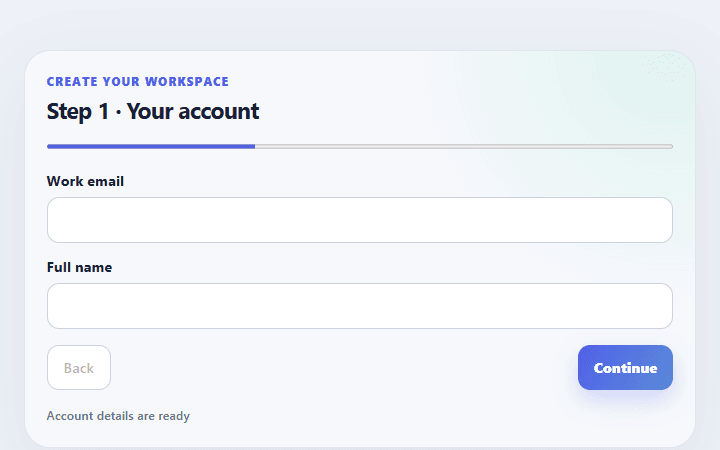
Multi-step signup form
Splits account, workspace, and confirmation fields into a concise signup flow with visible progress.
Open component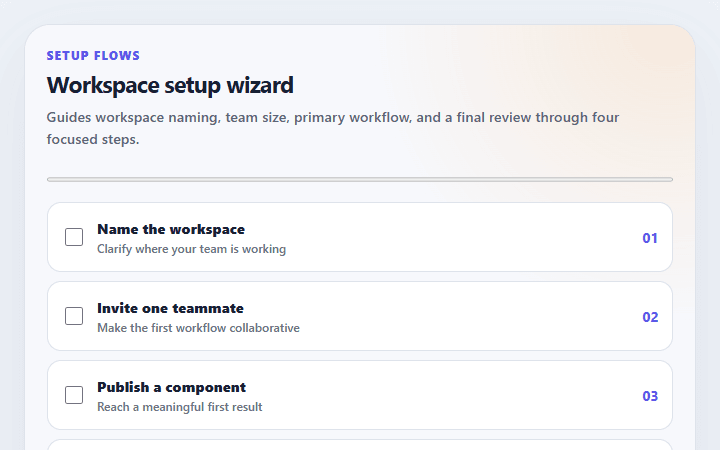
Workspace setup wizard
Guides workspace naming, team size, primary workflow, and a final review through four focused steps.
Open component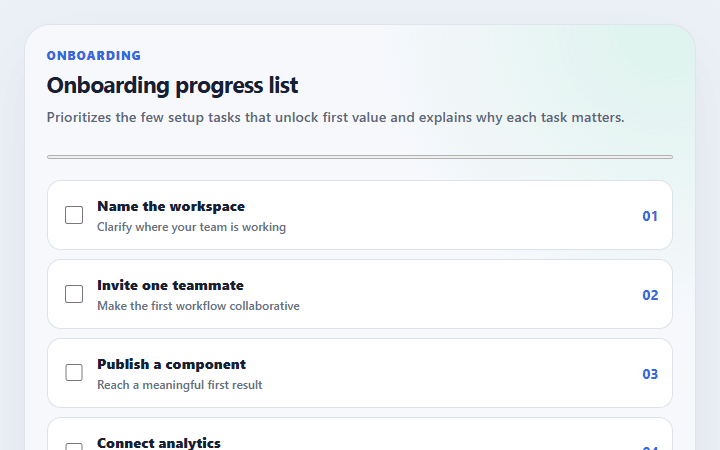
Onboarding progress list
Prioritizes the few setup tasks that unlock first value and explains why each task matters.
Open component